S100 Computers

Home S-100 Boards History New Boards Software Boards For Sale
Forum Other Web Sites Quiz Index    
  
An S-100 68000 CPU Board.
  
A few of the later S-100 board manufactures had their own 68000 CPU card.  Amongst the best well known were the ones by CompuPro and  Dual Systems Peak Electronics had an 8 bit 68008 CPU board and Cromemco even went as far as a 68020 board.  I have little information on the latter two boards however.

The Motorola 68K represents the "other side" of the great software divide for desktop systems.   In the early 8 bit days there was a continuous tug of war between the Intel/Zilog camp and the Motorola camp.   This later evolved into the PC based 8086, 80286, 80386, 80486 and Pentium based systems. The Motorola camp, Apple/Sun based , evolved into 68000, 68020, 68040 based systems. See here for a brief history summary.

I have to admit that up until now I have always found myself in the Intel camp, both in terms of hardware and software.   From a hardware perspective there are some very significant differences how Intel and Motorola CPU's talk to the world.  Somewhat oversimplifying, one could say that Intel CPUs assume that external devices are ready to talk to them immediately unless told otherwise (adding wait states).  While Motorola CPU's assume the opposite, they wait for a "I'm ready to talk" signal unless they are told otherwise -- so called synchronous communications.

When we look at the S-100 bus signals it is clear that it is setup for Intel style chips -- this really has to do with the bus's origin an 8080 CPU.  To insert a Motorola 68K CPU board therefore on the bus one has to take care shoehorning the CPU signals in carefully.

The Motorola 68K CPU turned out to be a very popular microprocessor. It was the basis of Apples Mackintoshes desktop line.   A number of people saw the need for an S-100 based 68K CPU board.  However these boards are very rare today.   There is a need for a new S-100 based 68K CPU board.   Furthermore it would really be nice if such a board could take advantage of the IEEE-696's bus standards to allow the board to co-exist with other CPU's on the bus.  One could for example switch from a Z80 (or 8086) to the 68K board and back again in software.  Unfortunately I know of no 68K board that had this capability. All the above 68K CPU boards ran a single "bus masters".  We will try and incorporate this master/slave capability in our new board (more on this later, see below).      
Wilcox Book  
Now the one truly remarkable feature the 68K CPU S-100 board has going for it is the fact that back in 1987 a guy named Alan Wilcox wrote a whole book describing a complete S-100 based 68K CPU board.   The book is the only one of its kind -- describing the construction of an S-100 CPU board, and goes into considerable detail chapter by chapter building up a completely functional board.  The book is an absolute "must read" for anybody building a  68K system.  The title is "68000 Microcomputer Systems Designing & Troubleshooting" by Alan D. Wilcox. Prentice-Hall Inc. Publishers, 1987.  Copies can be obtained from time to time on eBay and Amazon.
On the basis of this Andrew Lynch, Pontus Oldberg, Neil Breeden and Mike Sharkey and I decided to have a go at building a new S-100 68K board.  The first version of this board is essentially a copy of the circuit described in the Wilcox book.  There are a few minor changes but all in all it's the same circuit.  Such a 68K CPU board can only act as a Bus master.  If you had a slave Z80/8086 board it could perhaps co-exist with those CPU's. But the Wilcox board essentially assumes it is the only CPU in the bus.  This is in fact perfectly fine if you only need a 68K based system. 
  
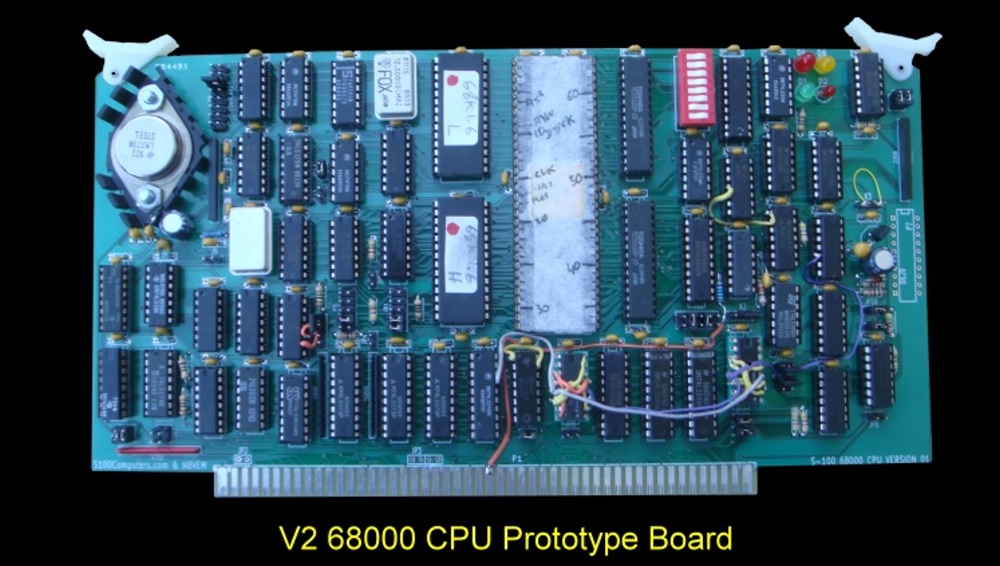
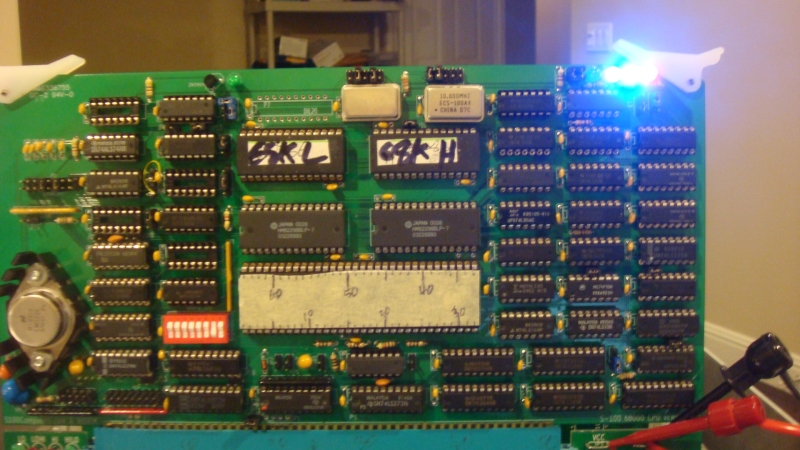
Here is a picture of my build of our first prototype 68K board.

68K CPU Board V1

You will notice the board contains its own onboard ROM's and a little RAM.  It contains a single step circuit to allow you to step through any code the 68K is executing.  What is really nice about this board is that with the addition of a single I/O port on another board for Console I/O you have a completely fictional system with this one board.  In fact by just connecting a power to the S-100 pins you can make the board flash the LED in software out of the bus.  A huge debugging advantage.  The schematic for this board can be seen here.  There are some minor differences from the Wilcox circuit but they are minor.
 
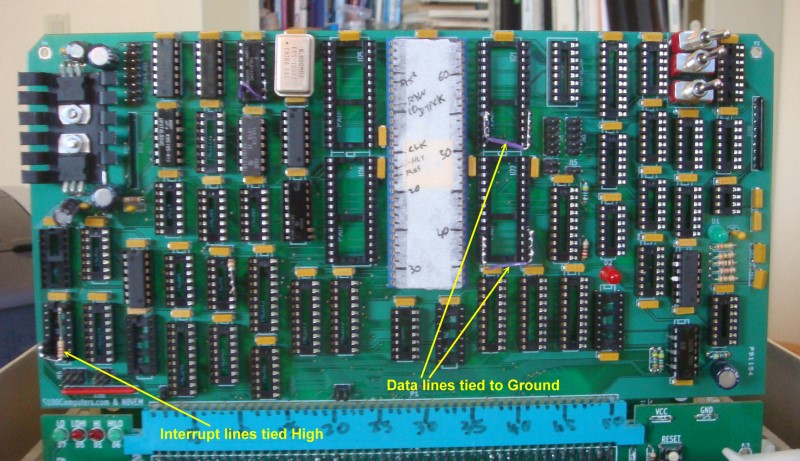
One really neat feature of the 68000 CPU and this board is you can have a basic "freerun" CPU flashing the red LED (address line A20) with a bare board and just a few chips on the board. This is described in detail by Wilcox but essentially with no RAM or ROM on the board and the data lines tied to ground  the CPU sees only 0's on its data in lines.  This is the 68K opcode for:-
   
 
ORI.B   #0,D0

This means move a 0 value byte to data register D0.  With the complete address space filled with 0's that's all the CPU will ever do. It will just increment to program counter and do the same thing again. All the way from its reset address of 0H up to 00FFFFFFH. It will then repeat the process. The red LED is attached to address line A20.  As the CPU cycles through its address space this line will cause the LED to flash on and off.

Here is a picture of the board in this mode along with the schematic from the Alan Wilcox book:-
  
  
FreeRun Board
   68000 CPU board in "Freerun" test mode 
Freerun Circuit
     Freerun test circuit 
  
This is a very simple but useful test for this board. It gives you some assurance your CPU is OK, the reset circuit is working OK and your boards clock generator is working fine.  However you have to be careful to temporally tie high a number of the CPU's input lines as shown above.   The easiest way I found to ground the CPU data lines was to insert a set of jumper pins in the appropriate RAM data pins and tie these to ground.   I checked all the pins in the 68K socket for the correct voltages before adding the CPU chip itself.  You don't want to have the CPU trying to pull a grounded line high.

Next I added the ROM's and support circuit to the board.   I started with two 27128 UV erasable EPROMS. In the past I have found these a bit more forgiving than EEPROMS timing wise -- though (see below), I later quickly changed to 28C256 EEPROMS. UV erasing an EPROM quickly becomes tiresome!

What to code our PROM with.  To answer this you must appreciate that unlike the Intel family of CPU's the 68K starts up at 0H in RAM  -- every time, no exceptions.  In the first four bytes of RAM it expects to find the location for its stack pointer (register A7).   It will always put what is there in A7. In the next four bytes of RAM it expects to find the RAM location for its program counter. With that value it will then jump to any location in its 16M address space.  These locations are hard wired into the chip. So any boot ROM must contain them in its first 8 bytes.  After that you can do what you like, but remember the CPU must start at 0H in RAM.  This is in marked contrast to the Intel CPU line which start at FFFF0H or FFFFF0H.

Our first test code will be real simple, a loop to continuously output to a port a byte value.   We will locate the ROM at 0H in the CPU's address space.  Here is the code we use:-
   
  IO test Code
      
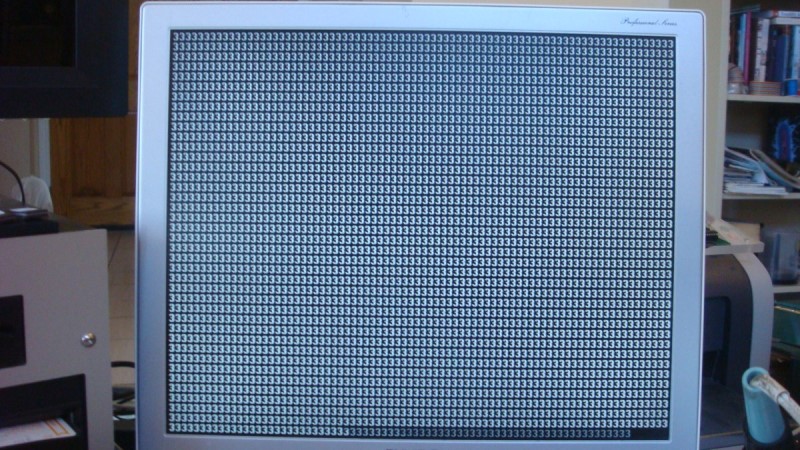
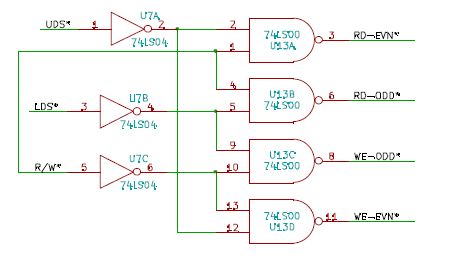
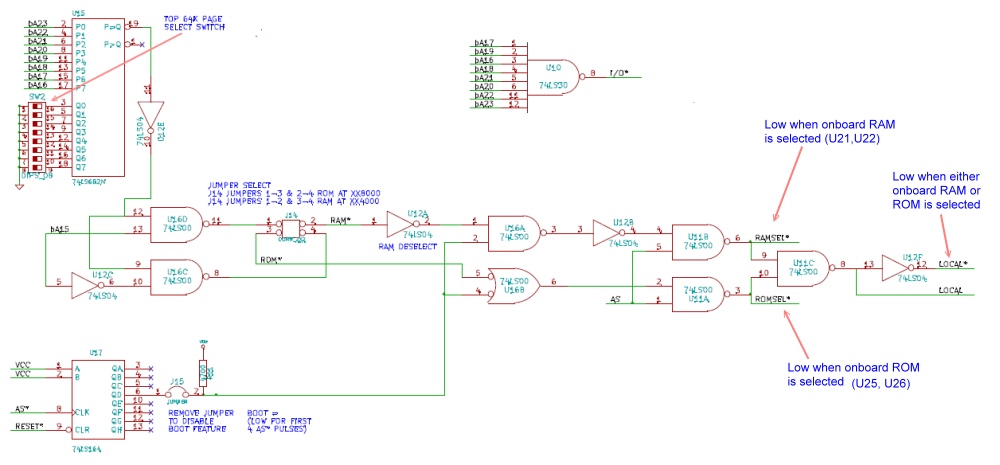
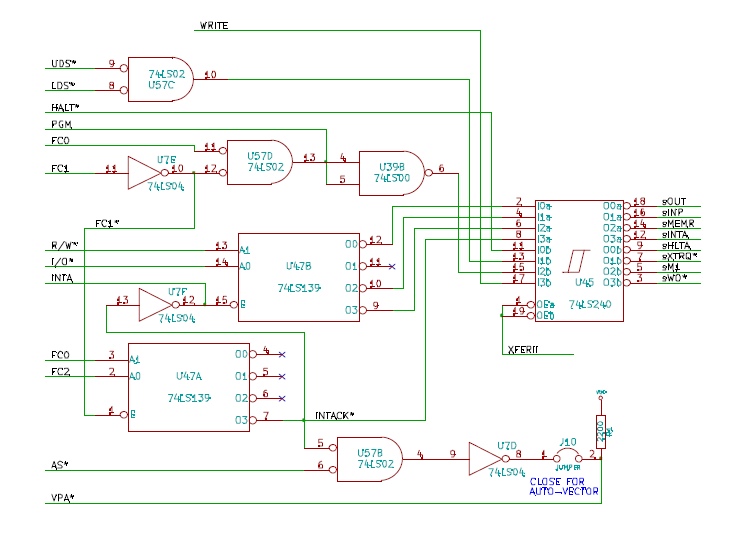
The above code illustrates one major difference between the Intel and Motorola family of chips. On the 68K there are no special control/status signals for the control of I/O ports. As far as the 68K is concerned an I/O port is just another memory location. In order to emulate the S-100 bus port I/O status signals we set aside a block of the 68K's RAM address space for port I/O. The easiest block to use in hardware is the 64K space from FF0000 to FFFFFF.  Clearly way overkill, but with 16 MB of RAM we can afford to be sloppy.  So if the address lines A17-A23 are all high, pin 8 of U10 (a 74LS30, see here) goes low activating the S-100 bus port I/O signals (SOUT or sINP).  Port 01 is my Propeller driven Console I/O board data input port.  An output of 33H to port 01H should place an ASCII "3" character on the screen.
 
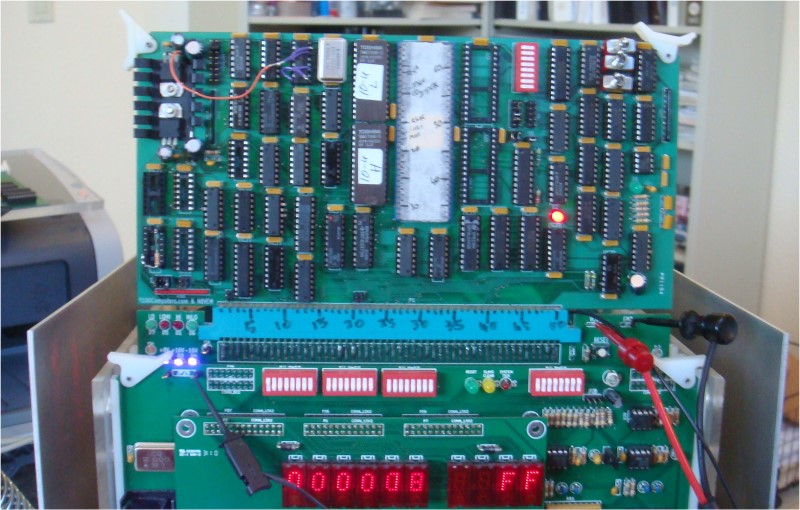
Here is a picture of the board with the necessary chips to achieve this test.  You can see the console is continuously receiving the byte value 33H. 
   
  IO Test on Board
   
  68K Debug Output
      
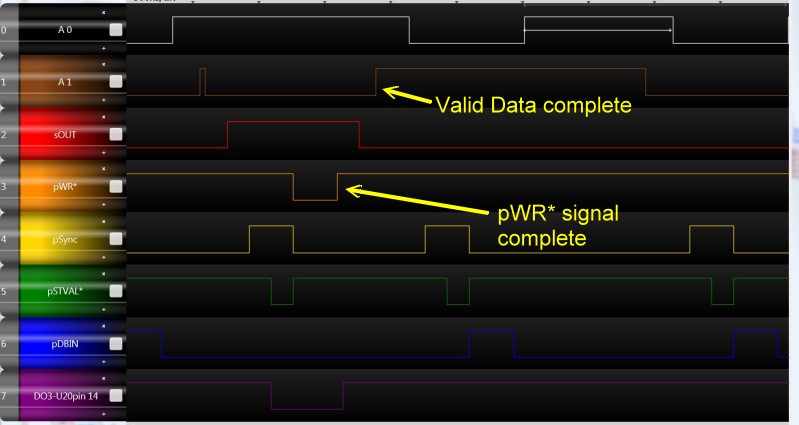
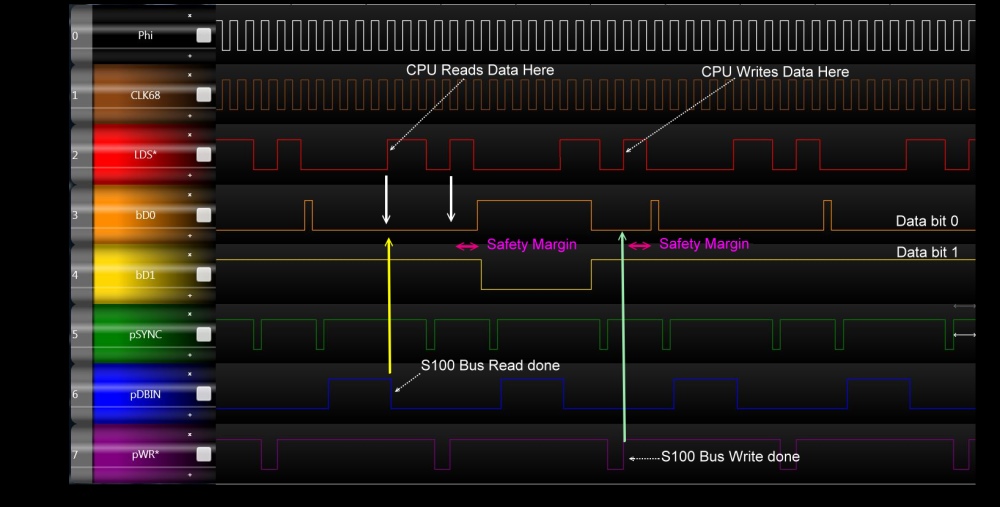
This is a critical test for the circuitry of the board because it is the first time the CPU is talking to the outside world and utilizing the S-100 bus.  It is also very informative at this point to review these signals using a logic analyzer.  Here is a snapshot of one set I took.
    
  Logic Probe Analysis
   
You will note that the S-100 sOUT signal and data lines (A0 & A1) remain valid even AFTER the pWR signal returns high.  This is very important to have reliable data transfers.

Having completed this test I next wanted to install and utilize the boards onboard RAM. The static RAM chips I used were Hitachi HH62256-70ns, (8KX32) chips. Initially the boards RAM was located at 8000H. I wrote a little program to copy the ROM contents (at 0H in RAM) up to that location.  I than wrote a little program to display the contents of that RAM on the CRT.  This is a bit of "ugly" code because I did not want to assume the stack could use valid RAM. The code is therefore inline with no subroutine calls.  The code can be seen here.

Assembling 68K Programs.
There are many good assemblers for the 68000 family of CPU's.  I have been using a fantastic package written some time ago by Tim Larson, Paul McKee and Chuck Kelly called "Easy68K".  It can be downloaded from here.  It runs as its own self contained IDE in windows. Not only does it have a complete assembler but it has a self contained Run and Debug interface.   The only catch is that all console IO goes through the 68k software interrupt Trap #15.  Using this debugger you can quickly write and test code before programming an EEPROM.  The only change being you replace Trap #15 with an output to your Console I/O port.  In all my code examples then you will see some sections commented out to prevent interrupt Trap#15 at runtime.

By comparing the code in RAM with the code in the Easy68K RAM.L68  file you can confirm that the onboard 68K CPU copied the ROM correctly.  Again this is a very important board test,  because from now on we can use a stack pointer and write callable 68K routines.  The EEPROM code for this test can be seen here.

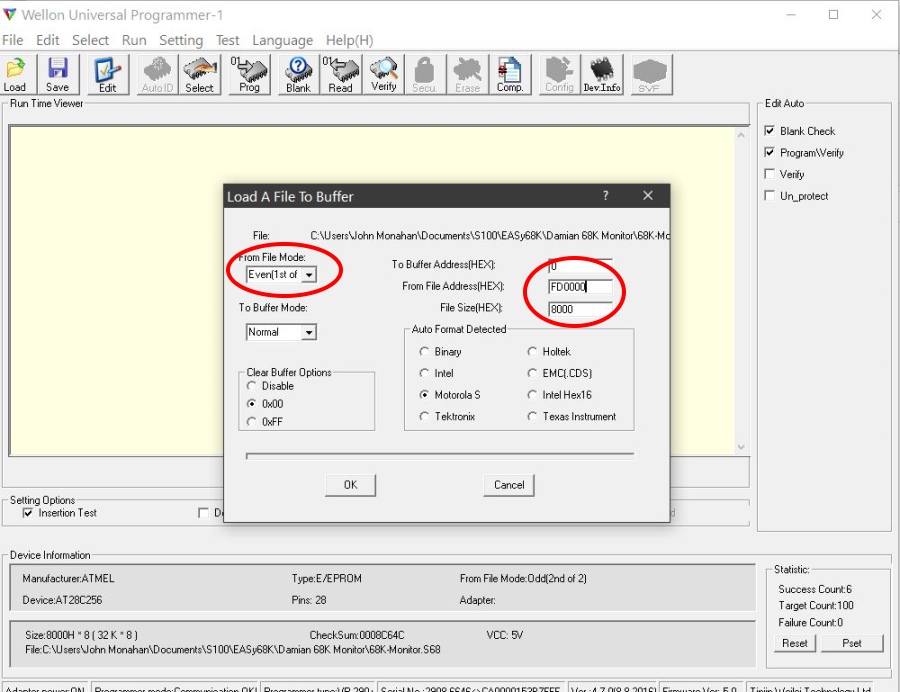
Next we need to get the Boot ROM at 0H in RAM up out of the way to high RAM.  We will use the location 00FD000H-00FD7FFFH.  We will also place the onboard RAM at 00FD8000H to 00FDFFFFH.  This is easily done by carefully configuring the SW2 switch.

The is only one catch, remember the 68K always boots from 0H in RAM.  This is where Alan Wilcox did a neat trick. He realized that the first 3 AS* strobe pulses for data reads by the CPU would always be in low RAM, so he added a 754LS164 counter that forces the onboard EEPROM to address 0 just for that time.  On the fourth AS* pulse the CPU has set stack and PC values, and then unknown to it, jumps back up to 00FD0xxxH (the xxx's were determined by the value loaded into the PC).

I tested this by installing jumper J15 on the board and setting switch SW2 to FDH.   The above code has to be changed. Now the initial PC address long word has to be changed to 00FD0xxxH.  The program will display a memory map of the CPU's address space. The program can be seen here.

With this working correctly I inserted one of our 4M Static RAM boards in the bus.  The RAM showed up correctly in the display.

The next step was to write a simple 68000 specific ROM monitor.  My goal is to model it after the 8086 monitor I wrote.  I wanted to use all the same menu options -- to keep life simple. I should point out that there are a number of excellent well tested 68K monitor programs. The Motorola Educational Computer "Tutor" perhaps being the best known.

As a total beginner I have found understanding this program a little tricky.  If needed it can be seen here. I have opted to write my own. First to learn 68K assembly programming but perhaps more important it will allow me to more easily later splice in code (as I have in the 8086 monitor) to run diagnostic tests on our IDE and ZFDC controller boards.  This should help a lot getting CPM-68K up and running.

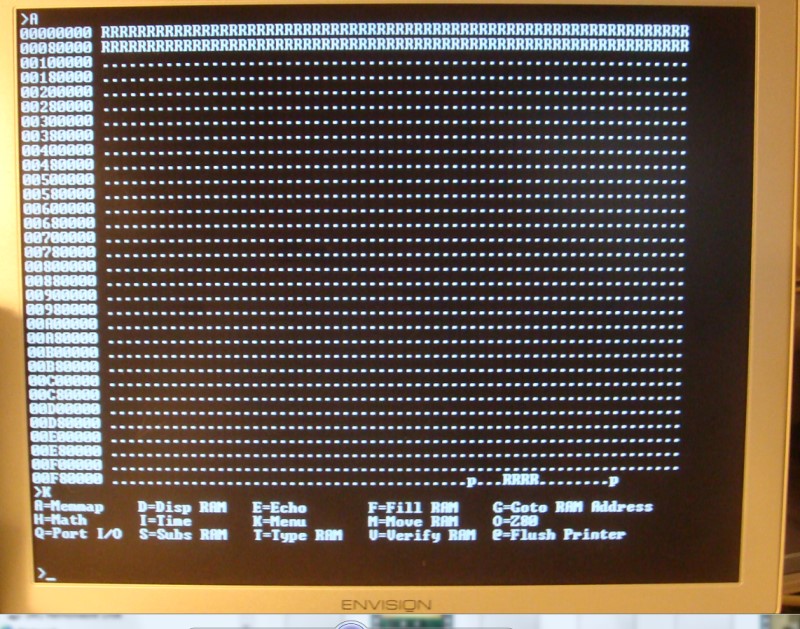
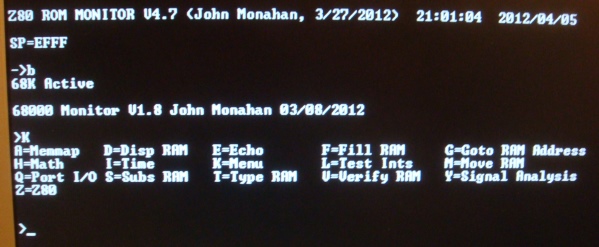
The 68000 monitor program is "a work in progress".  The Windows emulator Easy68K has been very useful in laying its groundwork and initial debugging.  The most up to date versions can be obtained at the bottom of this page.  Here is an example of it displaying a memory map and showing the monitors (current) menu options.
   
  Memory map
   
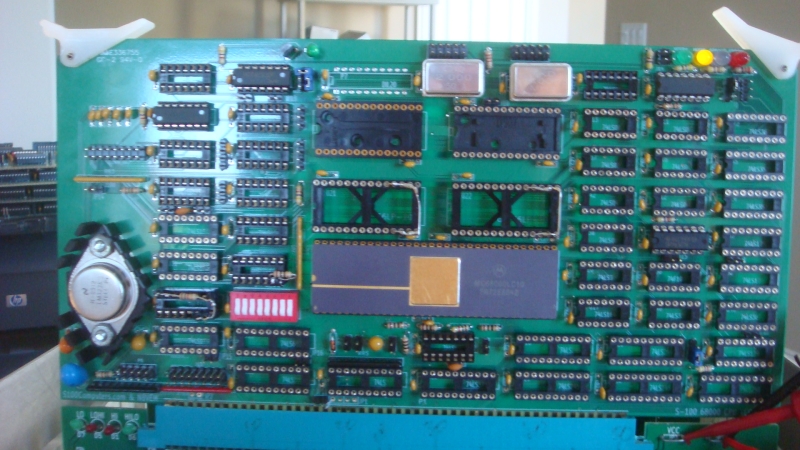
As I said above the Wilcox board functions as a S-100 Bus master.  With Andrew's help we are now doing a second prototype board that has circuitry (similar to the 8086 board) that will allow the 68000 CPU board to run as a slave board.  This has turned out to be more difficult than you might expect because there is little spare room on the board.  When that board arrives I will update this page.


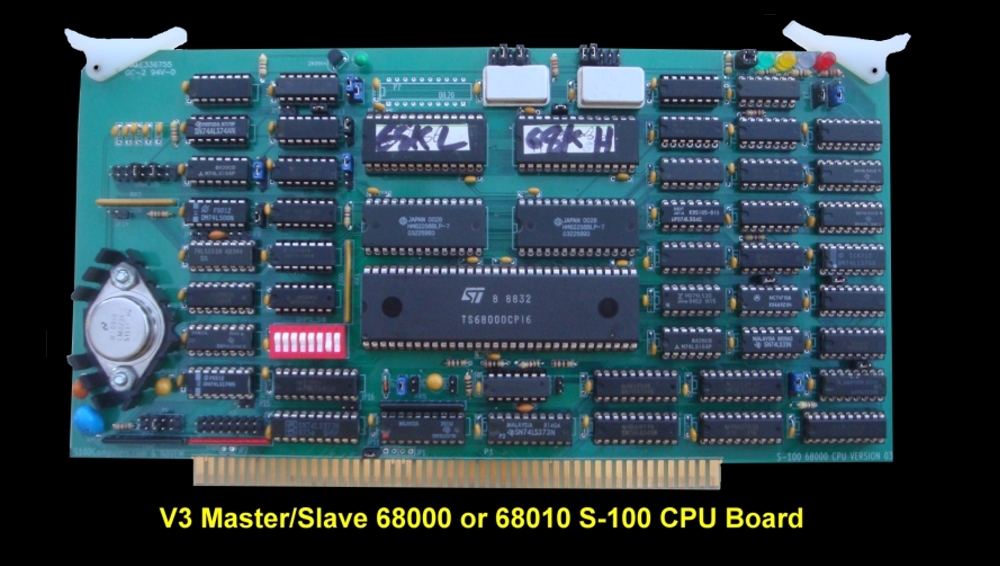
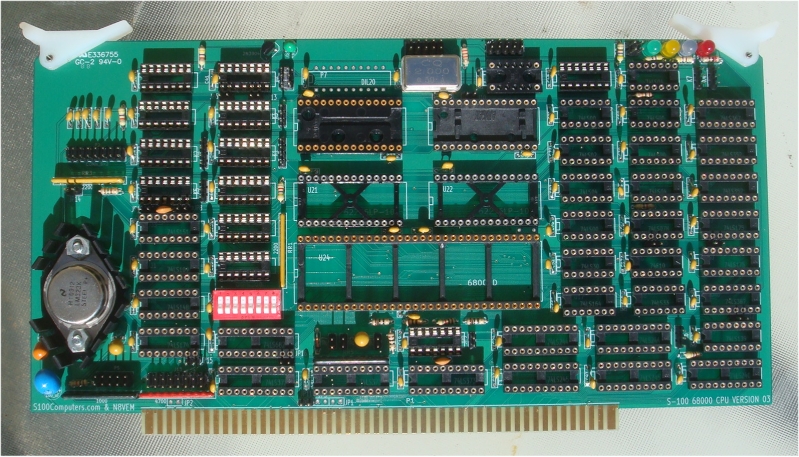
A Production S-100 Board.
Realizing that a number of people might want to utilize a board like this, together with Andrew Lynch at N8VEM (see here) we are collecting the names of people that would like such a board. If you have an interest in such a bare board, let Andrew know via e-mail at:-  lynchaj@yahoo.com . However it will be at least early 2012 before we order such a board -- much work remains to be done -- but stay tuned.


The links below will contain the most recent schematic of this board.
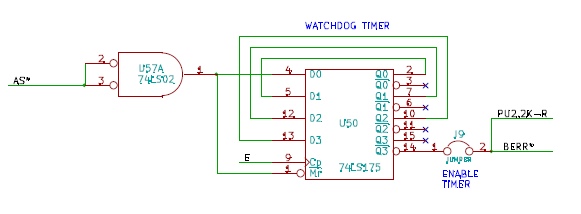
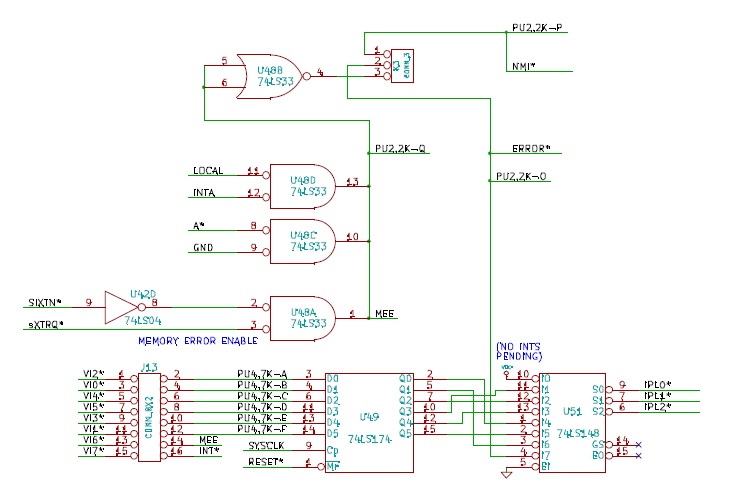
Note, it may change over time and some IC part or pin numbers may not correlate exactly with the text in the article above.


EASY68K SOFTWARE (11/14/2011)
MOST CURRENT 68000 CPU BOARD ROM MONITOR SOURCE CODE  (V1, FINAL, 11/14/2011)
MOST CURRENT 68000 CPU BOARD ROM MONITOR LISTING    (V1, FINAL, 11/14/2011)

MOST CURRENT 68000 CPU BOARD SCHEMATIC  (V3, FINAL, 11/14/2011)
MOST CURRENT 68000 CPU  BOARD LAYOUT  (V3, FINAL, 11/14/2011)


Other pages describing my S-100 hardware and software.
Please click here to continue...

This page was last modified on 11/27/2011